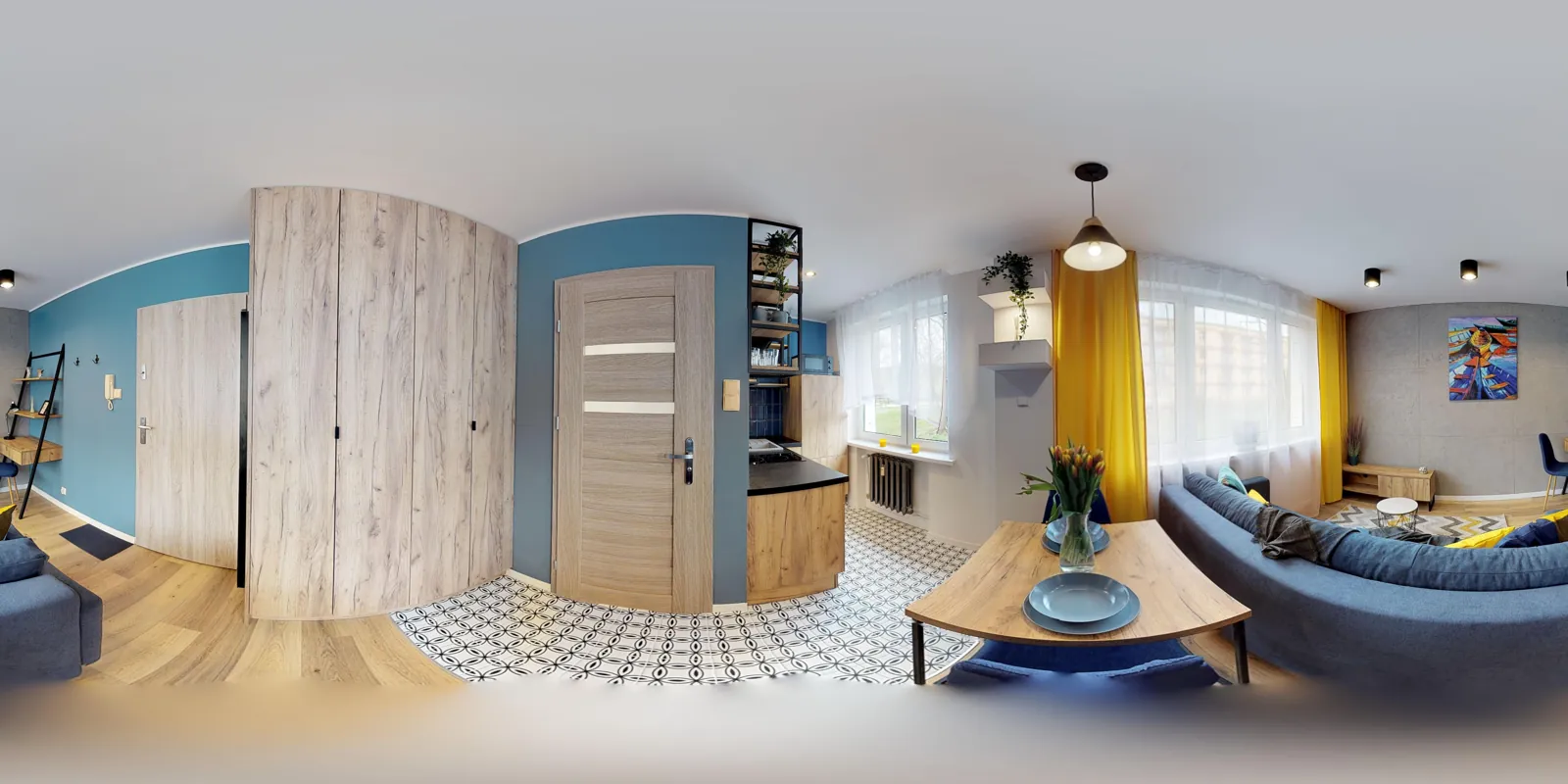
A 360° photo shows an entire room at once: you can look around in every direction, including up and down. Panoramas like these end up in property listings, on Google Maps and on hotel websites. You can take them with a phone, a 360° camera or a drone. Below we explain how to do it well and which mistakes to avoid - based on 12 years of scanning interiors.
What is a 360° photo
It's a single image stitched together from several or a dozen-plus shots taken from the same spot. Once assembled, it has a 2:1 aspect ratio (e.g. 8000 × 4000 pixels) and looks like a stretched-out map of the world. Only a panorama viewer "wraps" it into a sphere with the viewer standing at its center. Link a few of these photos together with arrows and you already have a simple virtual tour.
Taking a 360° photo with a phone
Many phones and apps have a spherical panorama mode: the app guides you with dots while you rotate the phone around its own axis. It's free, but tricky:
- you need to rotate around the lens, not around yourself - otherwise furniture close to the camera "breaks" at the seams,
- over a dozen or so shots the light changes and people move through the frame, leaving smears and ghosts,
- windows are usually blown out, because the phone doesn't merge multiple exposures into one.
A phone is fine for a "test" panorama of a room or for a shot outdoors. For a listing, one of the following methods is better.
360° camera - the easiest way
A camera with two fisheye lenses captures the whole sphere with a single press. You set it on a tripod, step out of the frame (or trigger it from your phone) and you're done. What to look out for:
- HDR mode - several shots at different brightness levels merged into one, so you can see both the room and the view out the window,
- resolution - 6-8K is enough for listings, but for Google Maps it's worth having more,
- a slim tripod - the tripod base shows up at the bottom of the photo; the slimmer it is, the easier it is to remove.
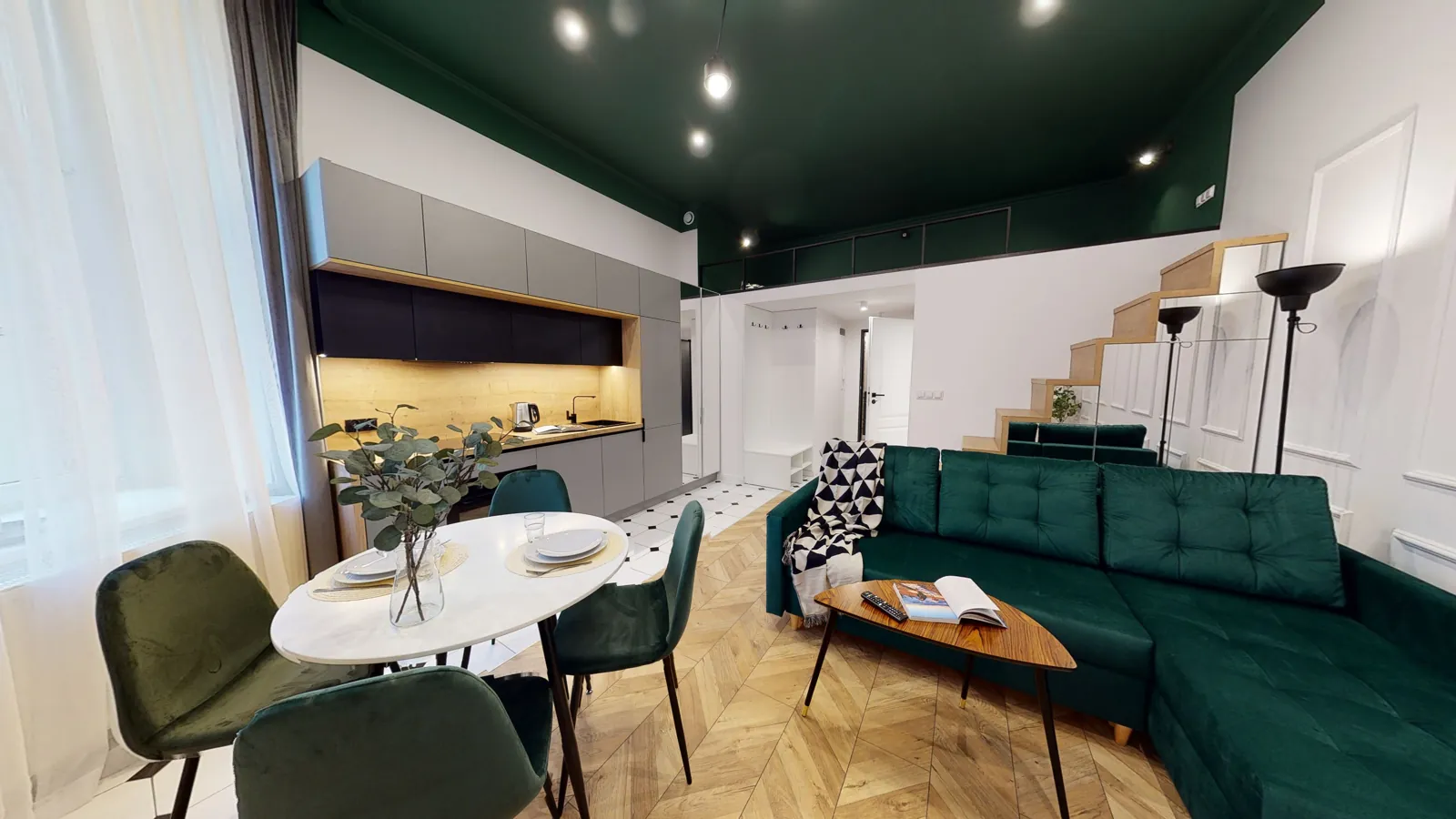
360° drone panoramas
A drone in spherical panorama mode takes a series of photos on its own and stitches them into a sphere. From 50-100 m up you can see where the house sits, the access road, and any nearby forest or lake - a great complement to an interior tour. Remember that flying isn't just a matter of equipment: you need the proper license, you have to check airspace zones in a flight planning app, and you must not fly over people. Read more on our drone photos and videos page.
7 rules for a great interior panorama
- Height of 1.4-1.6 m - roughly at eye level. Too low and you mostly see countertops; too high and the room looks like security camera footage.
- The middle of the room, but not exactly - place the camera so that the most important wall (kitchen, window, fireplace) is clearly visible and the nearest piece of furniture is at least 1 m away.
- Level - level the tripod. A tilted panorama "wobbles" as you turn and tires the viewer.
- All the lights on, blinds up - but half-closed in harsh sunlight.
- Tidy up - clear countertops, cables hidden, toilet seat down, towels neatly hung. A panorama shows everything, including what would stay out of frame in a regular photo.
- Doors open - photos are linked into a tour through doorways, so open doors show where you can go next.
- Stay out of the frame - go into another room or hide behind a wall. Your reflection in a mirror or an oven door counts too.
The most common mistakes
- Blown-out windows - white patches instead of a view. The fix: HDR and shooting in diffused light.
- Stitching errors at the seams - furniture too close to the camera, or rotating the phone around yourself.
- Too few points - a single panorama for an entire apartment won't show the bathroom or the kitchenette. A 50 m² apartment usually needs 8-12 panoramas.
- Dark corners - lamps switched off because "you can see it in the photo anyway." In a panorama, dark corners look dirty.
- No sense of orientation - the viewer doesn't know where they are. A floor plan with the points marked on it helps.
From 360° photos to a virtual tour
A few panoramas linked with arrows make a simple 360° tour. A professional 3D virtual tour goes further: beyond the panoramas, it includes a 3D model with dimensions, a top-down view, a floor plan and measurements. A buyer can check the length of a wall for their sofa, and a tenant can see how far the bathroom is from the bedroom.
If the apartment doesn't exist yet (developer condition or off-plan sales), 360° panoramas can be generated from the plan - see 360° visualizations from a floor plan.
DIY or hire a pro?
Do it yourself when you need a few panoramas for your own use and you have a 360° camera. Hire a pro when the panoramas need to sell an apartment, promote a hotel or go on Google Maps with your business profile. In Łódź and the surrounding area, you can order a 3D tour of an apartment, the scan takes about an hour, and you get the finished tour within 48 hours.